understanding networks
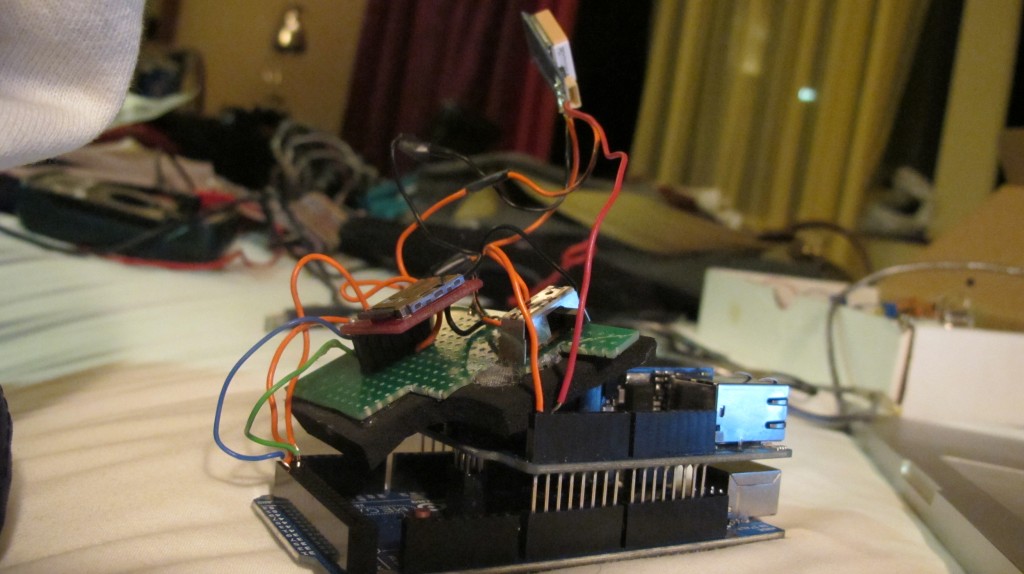
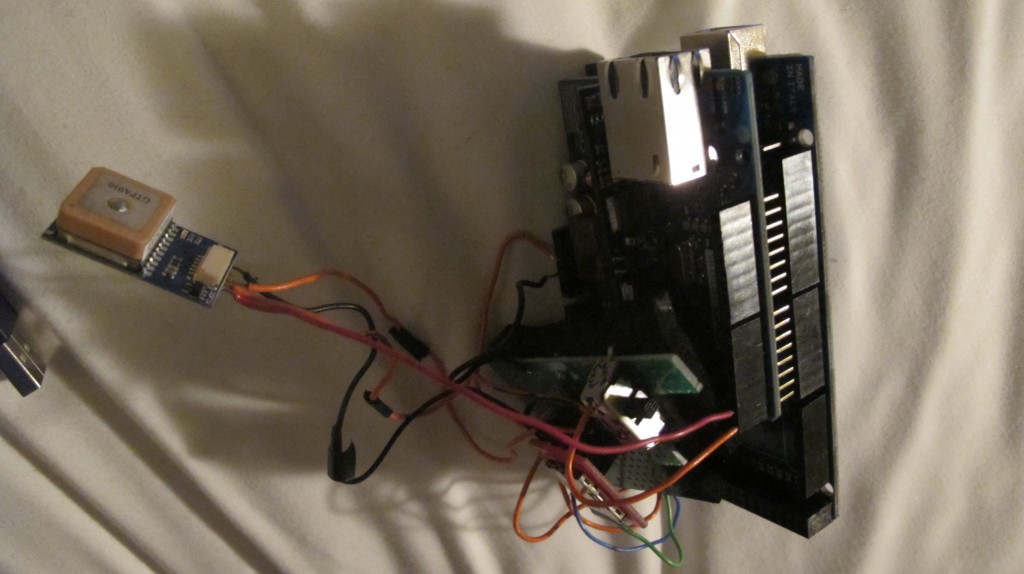
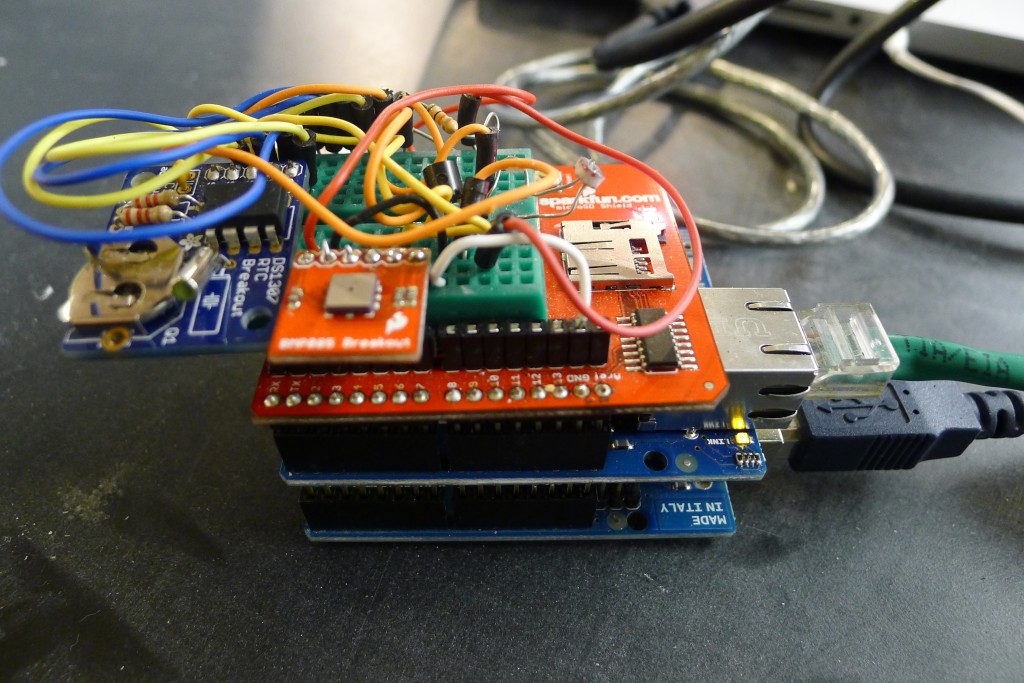
Moving onto the mega (++ sensors, no computer, data to the server)
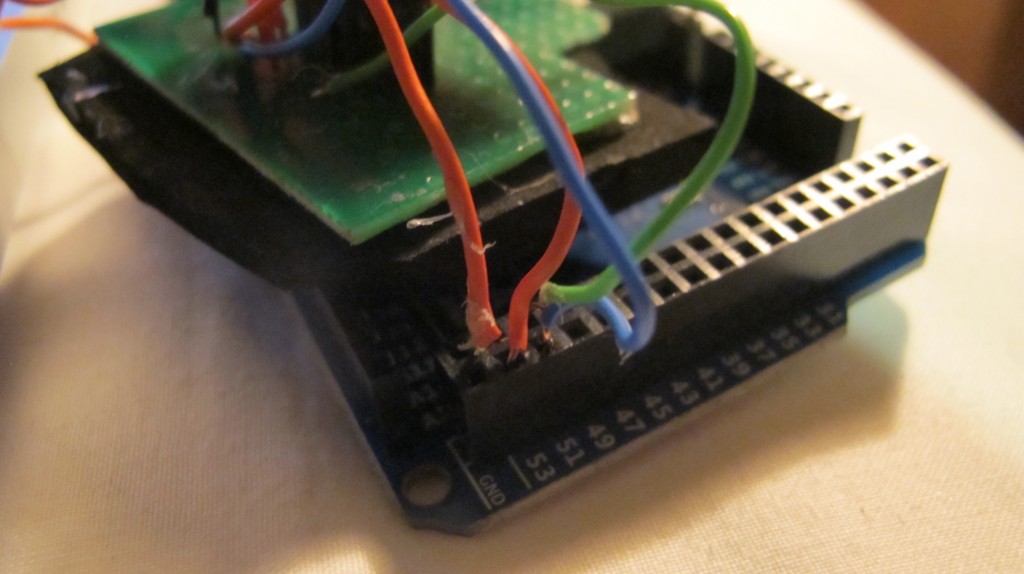
A note about the Mega and the spi library: (for use with the SD card and ethernet shield)
On Arduino MEGA, SPI bus uses pins 51 (MOSI), 52(SCK), 50(MISO), and 53(SS)
Sensors include: humidity, barometric, light, temp, gps, rtc, accelerometer, more to come…
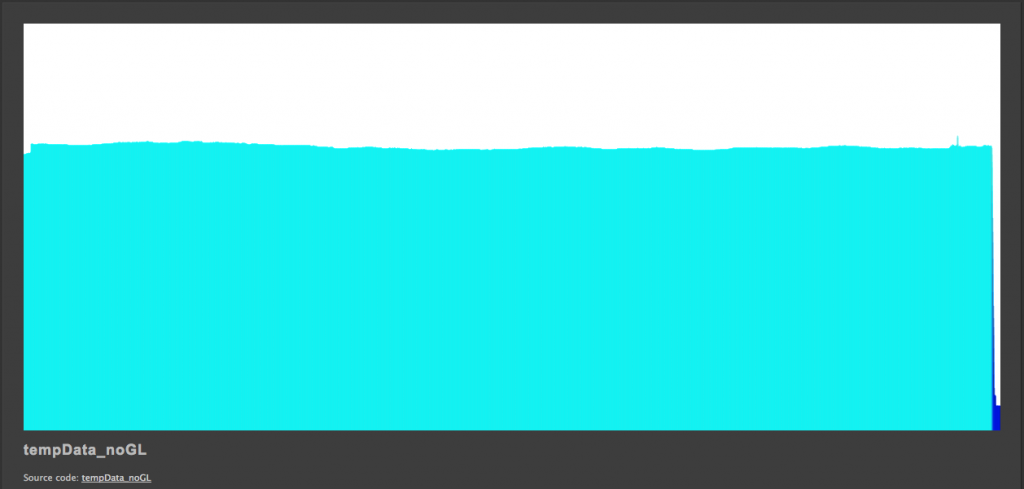
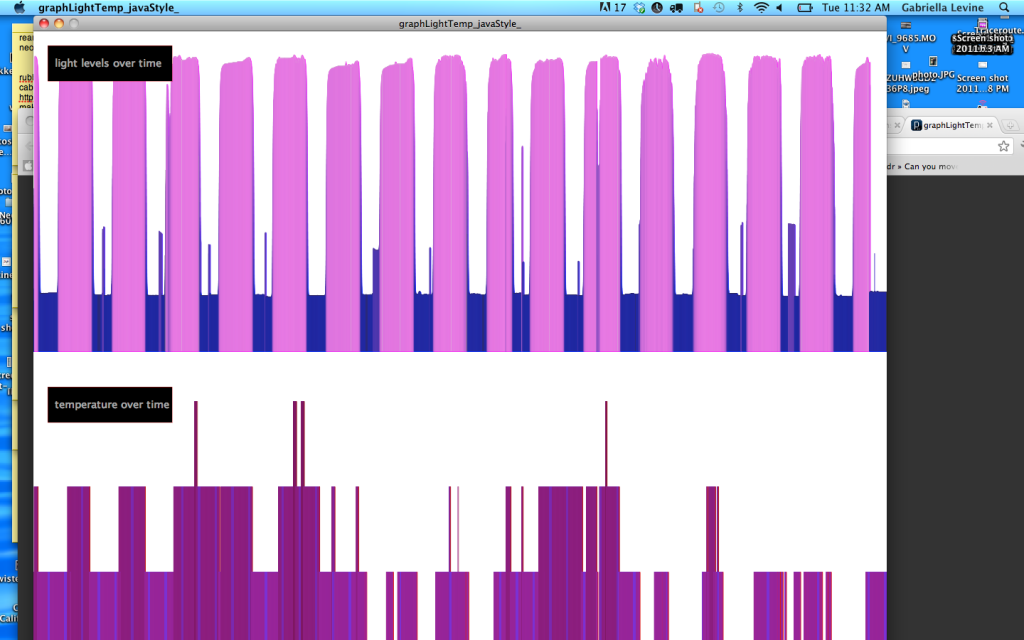
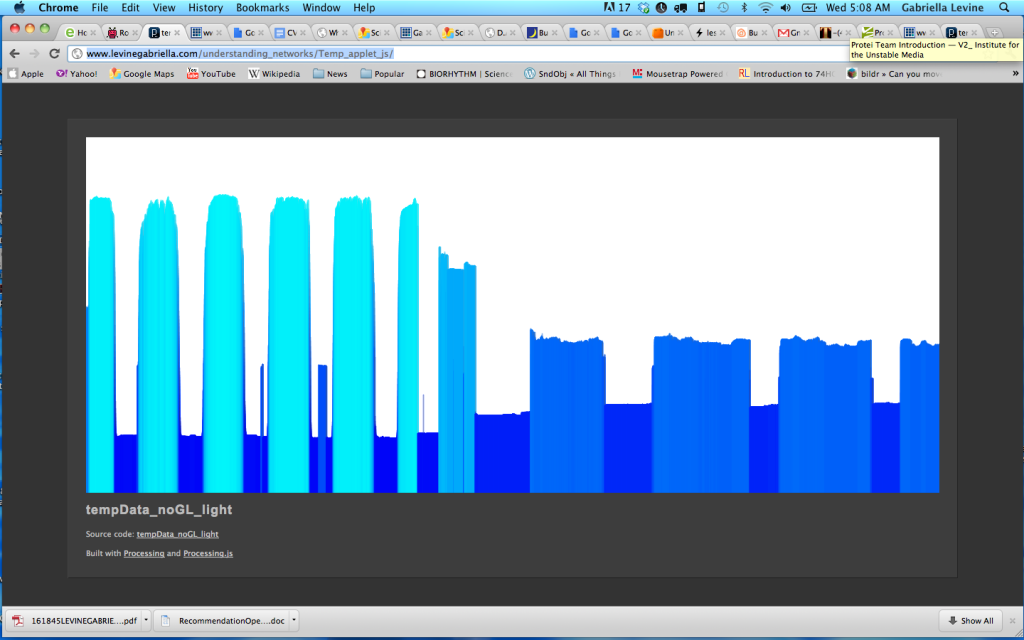
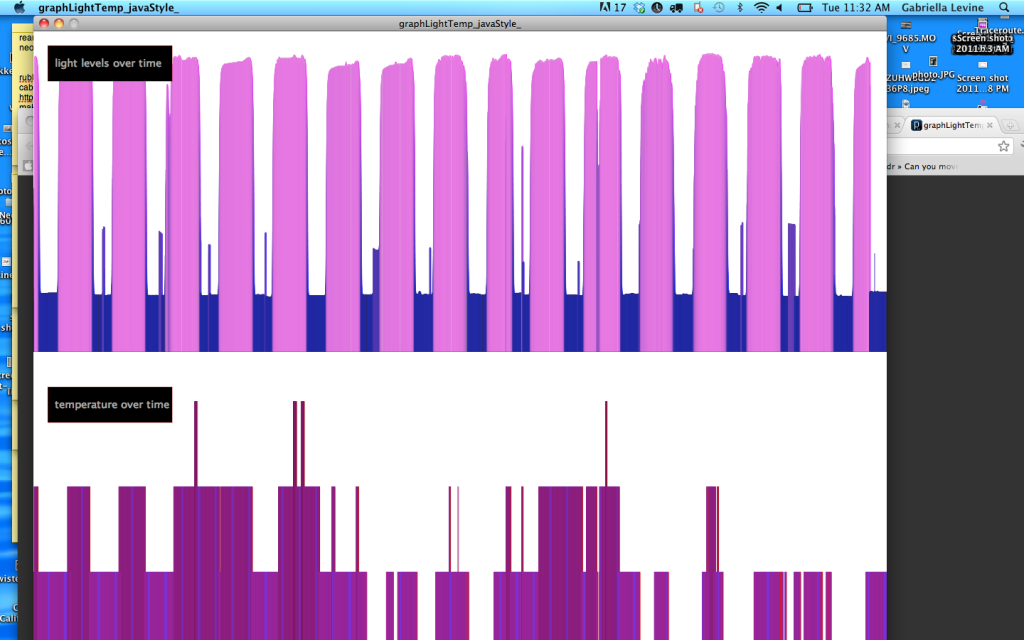
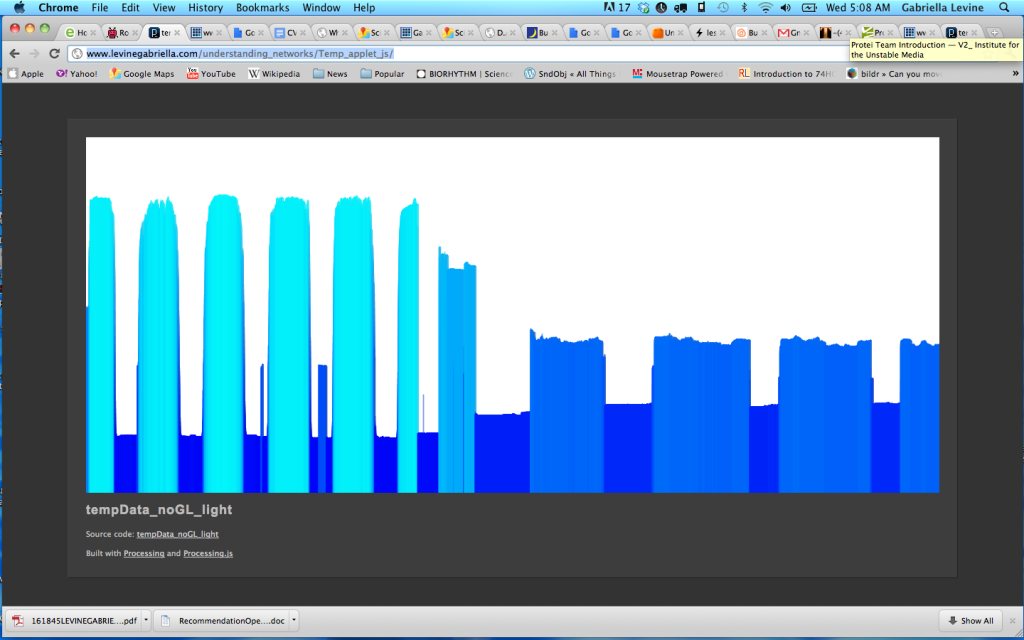
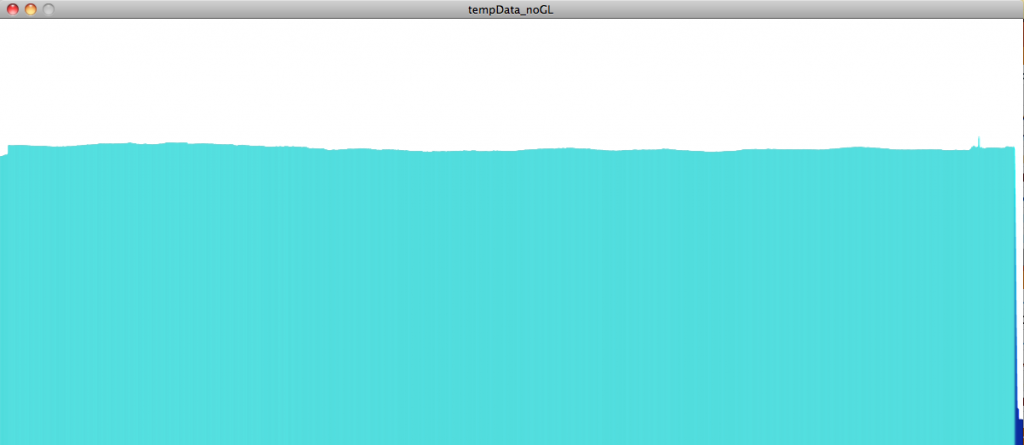
connects to a graph:
logs sensor data to a text file which gets written to a server: www.levinegabriella.com/understanding_networks/dataLogger.php
www.levinegabriella.com/understanding_networks/Temp_applet_js
<code>/*
Web client
This sketch connects to a website (http://www.google.com)
using an Arduino Wiznet Ethernet shield.
Circuit:
* Ethernet shield attached to pins 10, 11, 12, 13
created 18 Dec 2009
by David A. Mellis
*/
#include &amp;lt;Wire.h&amp;gt;
#include &amp;lt;SPI.h&amp;gt;
#include &amp;lt;Ethernet.h&amp;gt;
#include &amp;quot;RTClib.h&amp;quot;
#include &amp;lt;SD.h&amp;gt;
#define BMP085_ADDRESS 0x77 // I2C address of BMP085
const unsigned char OSS = 0; // Oversampling Setting
// Calibration values
int ac1;
int ac2;
int ac3;
unsigned int ac4;
unsigned int ac5;
unsigned int ac6;
int b1;
int b2;
int mb;
int mc;
int md;
// b5 is calculated in bmp085GetTemperature(...), this variable is also used in bmp085GetPressure(...)
// so ...Temperature(...) must be called before ...Pressure(...).
long b5;
short temperature;
long pressure;
// Enter a MAC address for your controller below.
// Newer Ethernet shields have a MAC address printed on a sticker on the shield
byte mac[] = {
0x00, 0xAA, 0xBB, 0xCC, 0xDE, 0x03 };
IPAddress server(69,89,31,63); // my IP server
const int requestInterval = 30000;
long lastAttemptTime = 0; // last time you connected to the server, in milliseconds
boolean requested;
const int resetLED = 13;
float temp;
float voltage;
// Initialize the Ethernet client library
// with the IP address and port of the server
// that you want to connect to (port 80 is default for HTTP):
const int chipSelect = 53;//changed from 8
const int LOCATION_FILE_NUMBER_LSB = 0x00;
const int LOCATION_FILE_NUMBER_MSB = 0x01;
File dataFile;
RTC_DS1307 RTC;
EthernetClient client;
DateTime now;
int ledPin = 13; // LED test pin to determine if we are successfully writing gps strings to a text file
int ledState = LOW;
int rxPin = 0; // RX PIN
int txPin = 1; // TX TX
void setup() {
pinMode(ledPin, OUTPUT); // Initialize LED pin
pinMode(rxPin, INPUT);
pinMode(txPin, OUTPUT);
// start the serial library:
Serial.begin(38400);
pinMode(A2, OUTPUT);
pinMode(A3, OUTPUT);
// A2 is the ground, A3 is the power:
digitalWrite(A2, LOW);
digitalWrite(A3, HIGH);
pinMode(chipSelect, OUTPUT);
if (!SD.begin(chipSelect)) {
Serial.println(&amp;quot;Card failed, or not present&amp;quot;);
// don't do anything more:
}
Serial.println(&amp;quot;card initialized.&amp;quot;);
Wire.begin();
RTC.begin();
delay(50);
bmp085Calibration();
if (! RTC.isrunning()) {
Serial.println(&amp;quot;RTC is NOT running!&amp;quot;);
// following line sets the RTC to the date &amp;amp;amp; time this sketch was compiled
RTC.adjust(DateTime(__DATE__, __TIME__));
}
dataFile = SD.open(&amp;quot;data.txt&amp;quot;, FILE_WRITE);
delay(500);
// start the Ethernet connection:
Ethernet.begin(mac);
if (Ethernet.begin(mac) == 0) {
Serial.println(&amp;quot;Failed to configure Ethernet using DHCP&amp;quot;);
// no point in carrying on, so do nothing forevermore:
// for(;;)
// ;
}
// connectToServer();
// give the Ethernet shield a second to initialize:
delay(1500);
blink(resetLED, 3);
Serial.println(&amp;quot;connecting...&amp;quot;);
connectToServer();
}
// Stores all of the bmp085's calibration values into global variables
// Calibration values are required to calculate temp and pressure
// This function should be called at the beginning of the program
void bmp085Calibration()
{
ac1 = bmp085ReadInt(0xAA);
ac2 = bmp085ReadInt(0xAC);
ac3 = bmp085ReadInt(0xAE);
ac4 = bmp085ReadInt(0xB0);
ac5 = bmp085ReadInt(0xB2);
ac6 = bmp085ReadInt(0xB4);
b1 = bmp085ReadInt(0xB6);
b2 = bmp085ReadInt(0xB8);
mb = bmp085ReadInt(0xBA);
mc = bmp085ReadInt(0xBC);
md = bmp085ReadInt(0xBE);
}
void loop()
{
temperature = bmp085GetTemperature(bmp085ReadUT());
pressure = bmp085GetPressure(bmp085ReadUP());
now = RTC.now();
if(client.connected()){
if(!requested){
requested = makeRequest();
// Serial.println(&amp;quot;requesting!&amp;quot;);
}
if(millis() - lastAttemptTime&amp;gt;requestInterval){
//if youre not connected and two minutes have passed, attempt to connect again
client.stop();
// Serial.println(&amp;quot;stopping and reconnecting!&amp;quot;);
// getData();
delay(1500);
//connectToServer();
}
// if there are incoming bytes available
// from the server, read them and print them:
}
if (client.available()) {
char c = client.read();
// Serial.print(c);
}
// if the server's disconnected, stop the client:
if (!client.connected()) {
// Serial.println();
// Serial.println(&amp;quot;disconnecting.&amp;quot;);
client.stop();
delay(1500);
if(millis() - lastAttemptTime&amp;gt;requestInterval){
//if youre not connected and two minutes have passed, attempt to connect again
connectToServer();
//try to reconnect here...
}
}
}
void getData(){
voltage = 5 * analogRead(A0) / 1024.0;
//float temp = 5 * analogRead(A1) / 1024.0;
temp=(analogRead(A1))/10;
if(Serial.available()&amp;gt;0){
byte gps=Serial.read(); //echo incoming gps data
Serial.write(gps);
if (dataFile) {
digitalWrite(ledPin, HIGH);//turn on the status led
DateTime now = RTC.now();
dataFile.write(gps);
dataFile.print(now.month());
dataFile.print('/');
dataFile.print(now.day());
dataFile.print('/');
dataFile.print(now.year());
dataFile.print(F(&amp;quot;,&amp;quot;));
dataFile.print(now.hour());
dataFile.print(F(&amp;quot;:&amp;quot;));
dataFile.print(now.minute());
dataFile.print(F(&amp;quot;:&amp;quot;));
dataFile.print(now.second());
dataFile.print(F(&amp;quot;,&amp;quot;));
dataFile.print(voltage);
dataFile.print(F(&amp;quot;,&amp;quot;));
dataFile.print(temp);
dataFile.print(temperature);
dataFile.print(F(&amp;quot;,&amp;quot;));
dataFile.print(pressure);
dataFile.println();
}
dataFile.flush();
}
else{digitalWrite(ledPin, LOW);}
}
void connectToServer(){
// Serial.println(&amp;quot;connecting to server...&amp;quot;);
if (client.connect(server, 80)) {
requested = false;
}
lastAttemptTime = millis();
}
boolean makeRequest() {
// Serial.println(&amp;quot;requesting&amp;quot;);
getData();
// Make a HTTP request:
client.print(&amp;quot;GET /understanding_networks/dataLogger.php?data=&amp;quot;);
client.print(now.month());
client.print('/');
client.print(now.day());
client.print('/');
client.print(now.year());
client.print(F(&amp;quot;,&amp;quot;));
client.print(now.hour());
client.print(F(&amp;quot;:&amp;quot;));
client.print(now.minute());
client.print(F(&amp;quot;:&amp;quot;));
client.print(now.second());
client.print(F(&amp;quot;,&amp;quot;));
client.print(voltage);
client.print(F(&amp;quot;,&amp;quot;));
client.print(temp);
client.print(F(&amp;quot;,&amp;quot;));
client.print(temperature);
client.print(F(&amp;quot;,&amp;quot;));
client.print(pressure);
client.println(&amp;quot; HTTP/1.1 &amp;quot;);
client.println(&amp;quot;HOST: www.levinegabriella.com&amp;quot;);
client.println();
return true;
}
// Calculate temperature given ut.
// Value returned will be in units of 0.1 deg C
short bmp085GetTemperature(unsigned int ut)
{
long x1, x2;
x1 = (((long)ut - (long)ac6)*(long)ac5) &amp;gt;&amp;gt; 15;
x2 = ((long)mc &amp;lt;&amp;lt; 11)/(x1 + md);
b5 = x1 + x2;
return ((b5 + 8)&amp;gt;&amp;gt;4);
}
// Calculate pressure given up
// calibration values must be known
// b5 is also required so bmp085GetTemperature(...) must be called first.
// Value returned will be pressure in units of Pa.
long bmp085GetPressure(unsigned long up)
{
long x1, x2, x3, b3, b6, p;
unsigned long b4, b7;
b6 = b5 - 4000;
// Calculate B3
x1 = (b2 * (b6 * b6)&amp;gt;&amp;gt;12)&amp;gt;&amp;gt;11;
x2 = (ac2 * b6)&amp;gt;&amp;gt;11;
x3 = x1 + x2;
b3 = (((((long)ac1)*4 + x3)&amp;lt;&amp;lt;OSS) + 2)&amp;gt;&amp;gt;2;
// Calculate B4
x1 = (ac3 * b6)&amp;gt;&amp;gt;13;
x2 = (b1 * ((b6 * b6)&amp;gt;&amp;gt;12))&amp;gt;&amp;gt;16;
x3 = ((x1 + x2) + 2)&amp;gt;&amp;gt;2;
b4 = (ac4 * (unsigned long)(x3 + 32768))&amp;gt;&amp;gt;15;
b7 = ((unsigned long)(up - b3) * (50000&amp;gt;&amp;gt;OSS));
if (b7 &amp;lt; 0x80000000)
p = (b7&amp;lt;&amp;lt;1)/b4;
else
p = (b7/b4)&amp;lt;&amp;lt;1;
x1 = (p&amp;gt;&amp;gt;8) * (p&amp;gt;&amp;gt;8);
x1 = (x1 * 3038)&amp;gt;&amp;gt;16;
x2 = (-7357 * p)&amp;gt;&amp;gt;16;
p += (x1 + x2 + 3791)&amp;gt;&amp;gt;4;
return p;
}
// Read 1 byte from the BMP085 at 'address'
char bmp085Read(unsigned char address)
{
unsigned char data;
Wire.beginTransmission(BMP085_ADDRESS);
Wire.write(address);
Wire.endTransmission();
Wire.requestFrom(BMP085_ADDRESS, 1);
while(!Wire.available())
;
return Wire.read();
}
// Read 2 bytes from the BMP085
// First byte will be from 'address'
// Second byte will be from 'address'+1
int bmp085ReadInt(unsigned char address)
{
unsigned char msb, lsb;
Wire.beginTransmission(BMP085_ADDRESS);
Wire.write(address);
Wire.endTransmission();
Wire.requestFrom(BMP085_ADDRESS, 2);
while(Wire.available()&amp;lt;2)
;
msb = Wire.read();
lsb = Wire.read();
return (int) msb&amp;lt;&amp;lt;8 | lsb;
}
// Read the uncompensated temperature value
unsigned int bmp085ReadUT()
{
unsigned int ut;
// Write 0x2E into Register 0xF4
// This requests a temperature reading
Wire.beginTransmission(BMP085_ADDRESS);
Wire.write(0xF4);
Wire.write(0x2E);
Wire.endTransmission();
// Wait at least 4.5ms
delay(5);
// Read two bytes from registers 0xF6 and 0xF7
ut = bmp085ReadInt(0xF6);
return ut;
}
// Read the uncompensated pressure value
unsigned long bmp085ReadUP()
{
unsigned char msb, lsb, xlsb;
unsigned long up = 0;
// Write 0x34+(OSS&amp;lt;&amp;lt;6) into register 0xF4
// Request a pressure reading w/ oversampling setting
Wire.beginTransmission(BMP085_ADDRESS);
Wire.write(0xF4);
Wire.write(0x34 + (OSS&amp;lt;&amp;lt;6));
Wire.endTransmission();
// Wait for conversion, delay time dependent on OSS
delay(2 + (3&amp;lt;&amp;lt;OSS));
// Read register 0xF6 (MSB), 0xF7 (LSB), and 0xF8 (XLSB)
Wire.beginTransmission(BMP085_ADDRESS);
Wire.write(0xF6);
Wire.endTransmission();
Wire.requestFrom(BMP085_ADDRESS, 3);
// Wait for data to become available
while(Wire.available() &amp;lt; 3)
;
msb = Wire.read();
lsb = Wire.read();
xlsb = Wire.read();
up = (((unsigned long) msb &amp;lt;&amp;lt; 16) | ((unsigned long) lsb &amp;lt;&amp;lt; 8) | (unsigned long) xlsb) &amp;gt;&amp;gt; (8-OSS);
return up;
}
void blink(int thisPin, int howManyTimes){
for (int blinks = 0;blinks&amp;lt;howManyTimes;blinks++){
digitalWrite(thisPin, HIGH);
delay(200);
digitalWrite(thisPin, LOW);
delay(200);
}
}
//questions: what other sensors will be good?
//what is too much data
//i seem to be making my request twice
//when my request interval is more than 5000 i get
//10/13/2011,11:14:56,3.67,15.00
//10/13/2011,11:15:5,3.65,15.00
//10/13/2011,11:15:16,0.00,0.00
//10/13/2011,11:15:44,0.00,0.00
//why
//can you go back a directory
//try it? overwhelm maybe... w/ gps
//implem. timer
</code>
Logging data remotely to the web, no computer
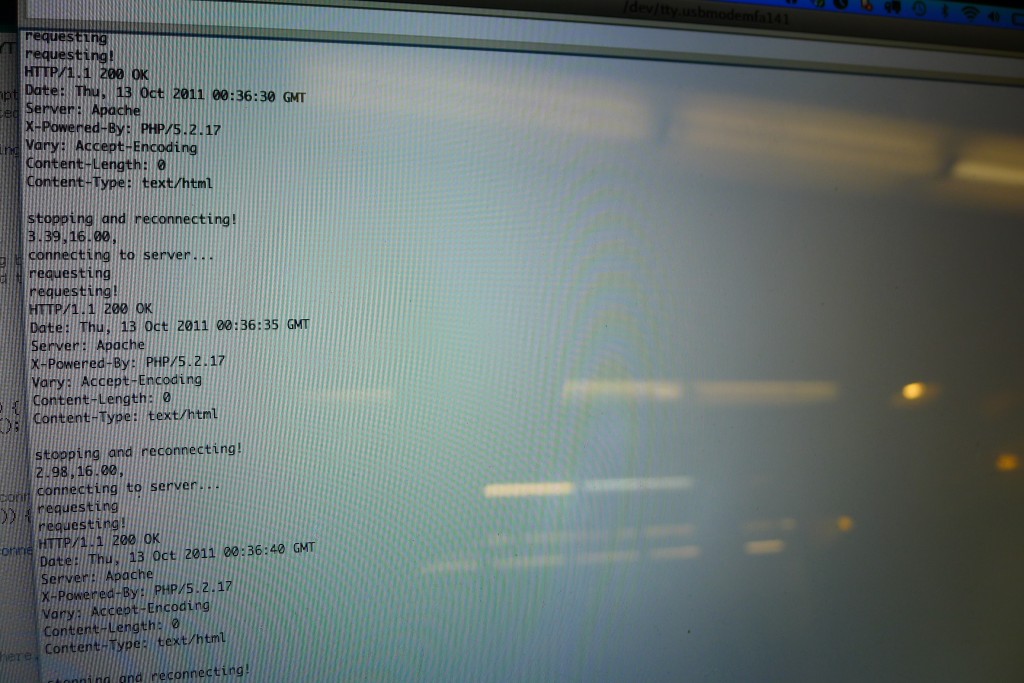
So I switched over the client to here: http://levinegabriella.com/understanding_networks/liveApplet/
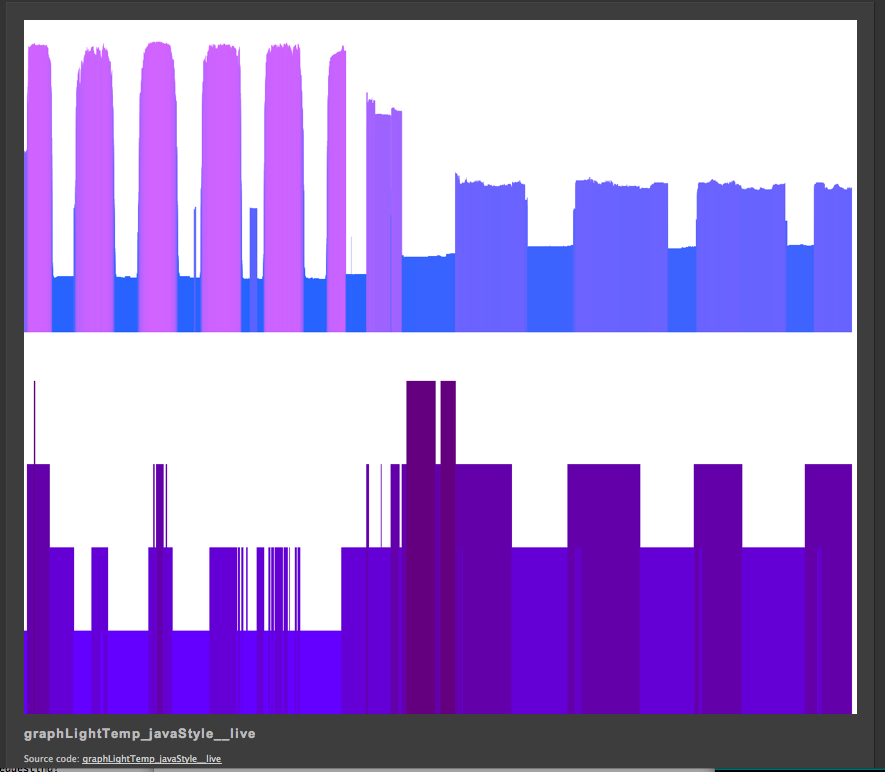
(I have to figure out why no text is appearing on the graph – i had temperature and light and date markers)
the php server is written here: http://levinegabriella.com/understanding_networks/dataLogger.php
The server reads and writes to a text file here: http://www.levinegabriella.com/understanding_networks/liveApplet/DATAcl.TXT
See code below for Arduino and php and processing
Next step: The day I left NY my dataLogging Arduino “crashed”, after working for a week . It could have been any number of things. The SD card, the server, a short?
Try Pachube, and Watch Dog to restart Arduino if it crashes.
Can i do some virtual debugging?
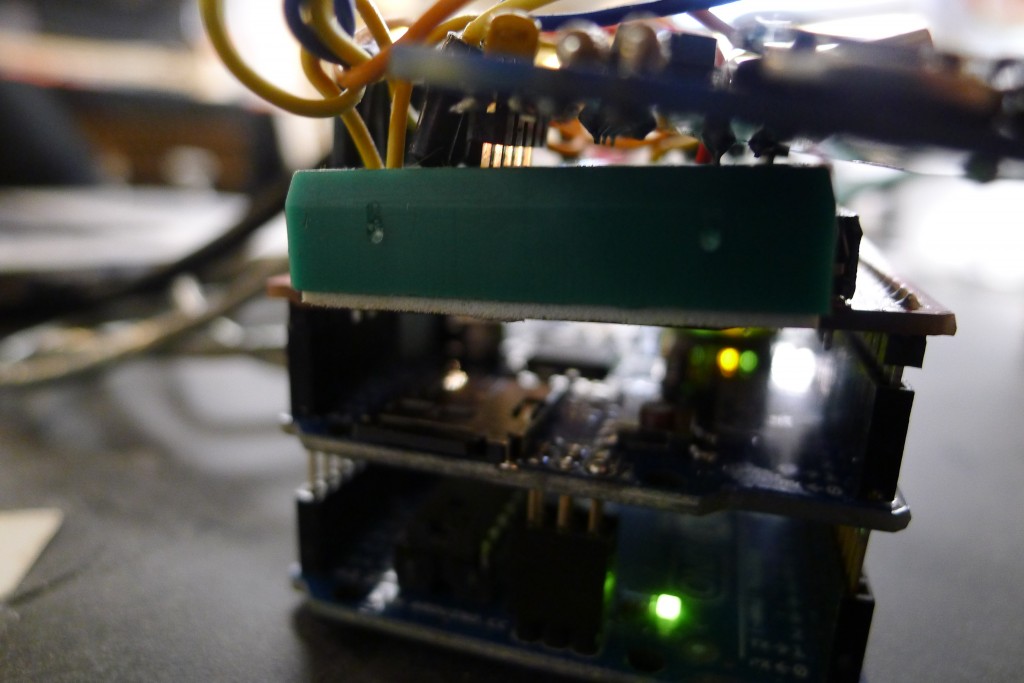
Also, Arduino UNO ran out of space (the functions include: data logger, ethernet connection to a server, temp sensor, light sensor, real time clock – But there are many more sensors on board (gps, humidity, accelerometer, barometric pressure) so I’ve moved everything over to the MEGA. Had to rearrange the SPI / I2C pin connections, but besides that it’s all good.
(all the code (php, processing, arduino) can also be downloaded here)
More to come…
&amp;amp;amp;lt;?php
// put the name and path of the text file in a variable.
// this is the text file where we'll store the data:
$filename = 'liveApplet/DATAcl.TXT';
//make sure the file is not empty:
if (file_exists($filename)) {
// get the contents of the file
// and put them in a variable called $fileContents:
$fileContents = file_get_contents($filename);
// if there is new data from the client, it'll
// be in a request parameter called &amp;amp;amp;quot;data&amp;amp;amp;quot;.
if (isset($_REQUEST['data'])) {
// append what the client sent as 'data' to
// the variable holding the file contents:
$fileContents = $fileContents . &amp;amp;amp;quot;\n&amp;amp;amp;quot;. $_REQUEST['data'];
// put the file contents back into the file
// you're overwriting the whole file when you do this:
file_put_contents($filename, $fileContents);
} else {
// there was no data sent in the request
// so show the old stuff:
// echo '&amp;amp;amp;lt;p&amp;amp;amp;gt;' . $fileContents . '&amp;amp;amp;lt;/p&amp;amp;amp;gt;';
//split the string of the newLines:
$strings = explode(&amp;amp;amp;quot;\n&amp;amp;amp;quot;, $fileContents);
//loop over the array of the lines, adding a break at the end of each
foreach ($strings as $thisString){
echo $thisString . &amp;amp;amp;quot;&amp;amp;amp;lt;br/&amp;amp;amp;gt;\n&amp;amp;amp;quot;;
}
}
}
?&amp;amp;amp;gt;
Arduino:
[/python]
/*
Web client
This sketch connects to a website (http://www.google.com)
using an Arduino Wiznet Ethernet shield.
Circuit:
* Ethernet shield attached to pins 10, 11, 12, 13
created 18 Dec 2009
by David A. Mellis
*/
#include
#include
#include
#include “RTClib.h”
#include
// Enter a MAC address for your controller below.
// Newer Ethernet shields have a MAC address printed on a sticker on the shield
byte mac[] = {
0x00, 0xAA, 0xBB, 0xCC, 0xDE, 0x03 };
IPAddress server(69,89,31,63); // my IP server
const int requestInterval = 30000;
long lastAttemptTime = 0; // last time you connected to the server, in milliseconds
boolean requested;
const int resetLED = 13;
float temp;
float voltage;
// Initialize the Ethernet client library
// with the IP address and port of the server
// that you want to connect to (port 80 is default for HTTP):
const int chipSelect = 4;//changed from 8
const int LOCATION_FILE_NUMBER_LSB = 0x00;
const int LOCATION_FILE_NUMBER_MSB = 0x01;
File dataFile;
RTC_DS1307 RTC;
EthernetClient client;
DateTime now;
void setup() {
// start the serial library:
Serial.begin(9600);
pinMode(A2, OUTPUT);
pinMode(A3, OUTPUT);
// A2 is the ground, A3 is the power:
digitalWrite(A2, LOW);
digitalWrite(A3, HIGH);
pinMode(10, OUTPUT);
if (!SD.begin(chipSelect)) {
Serial.println(“Card failed, or not present”);
// don’t do anything more:
}
Serial.println(“card initialized.”);
Wire.begin();
RTC.begin();
delay(50);
if (! RTC.isrunning()) {
Serial.println(“RTC is NOT running!”);
// following line sets the RTC to the date & time this sketch was compiled
RTC.adjust(DateTime(__DATE__, __TIME__));
}
dataFile = SD.open(“data.txt”, FILE_WRITE);
delay(500);
// start the Ethernet connection:
Ethernet.begin(mac);
if (Ethernet.begin(mac) == 0) {
Serial.println(“Failed to configure Ethernet using DHCP”);
// no point in carrying on, so do nothing forevermore:
for(;;)
;
}
// connectToServer();
// give the Ethernet shield a second to initialize:
delay(1500);
blink(resetLED, 3);
Serial.println(“connecting…”);
connectToServer();
}
void loop()
{
now = RTC.now();
if(client.connected()){
if(!requested){
requested = makeRequest();
// Serial.println(“requesting!”);
}
if(millis() – lastAttemptTime>requestInterval){
//if youre not connected and two minutes have passed, attempt to connect again
client.stop();
// Serial.println(“stopping and reconnecting!”);
// getData();
delay(1500);
//connectToServer();
}
// if there are incoming bytes available
// from the server, read them and print them:
}
if (client.available()) {
char c = client.read();
// Serial.print(c);
}
// if the server’s disconnected, stop the client:
if (!client.connected()) {
// Serial.println();
// Serial.println(“disconnecting.”);
client.stop();
delay(1500);
if(millis() – lastAttemptTime>requestInterval){
//if youre not connected and two minutes have passed, attempt to connect again
connectToServer();
//try to reconnect here…
}
}
}
void getData(){
voltage = 5 * analogRead(A0) / 1024.0;
//float temp = 5 * analogRead(A1) / 1024.0;
temp=(analogRead(A1))/10;
// Serial.print(voltage);
// Serial.print(F(“,”));
// Serial.print(temp);
// Serial.print(F(“,”));
// Serial.println(” “);
//
if (dataFile) {
DateTime now = RTC.now();
dataFile.print(now.month());
dataFile.print(‘/’);
dataFile.print(now.day());
dataFile.print(‘/’);
dataFile.print(now.year());
dataFile.print(F(“,”));
dataFile.print(now.hour());
dataFile.print(F(“:”));
dataFile.print(now.minute());
dataFile.print(F(“:”));
dataFile.print(now.second());
dataFile.print(F(“,”));
dataFile.print(voltage);
dataFile.print(F(“,”));
dataFile.print(temp);
dataFile.println();
}
dataFile.flush();
}
void connectToServer(){
// Serial.println(“connecting to server…”);
if (client.connect(server, 80)) {
requested = false;
}
lastAttemptTime = millis();
}
boolean makeRequest() {
// Serial.println(“requesting”);
getData();
// Make a HTTP request:
client.print(“GET /understanding_networks/dataLogger.php?data=”);
client.print(now.month());
client.print(‘/’);
client.print(now.day());
client.print(‘/’);
client.print(now.year());
client.print(F(“,”));
client.print(now.hour());
client.print(F(“:”));
client.print(now.minute());
client.print(F(“:”));
client.print(now.second());
client.print(F(“,”));
client.print(voltage);
client.print(F(“,”));
client.print(temp);
client.println(” HTTP/1.1 “);
client.println(“HOST: www.levinegabriella.com”);
client.println();
return true;
}
void blink(int thisPin, int howManyTimes){
for (int blinks = 0;blinks digitalWrite(thisPin, HIGH);
delay(200);
digitalWrite(thisPin, LOW);
delay(200);
}
}
//questions: what other sensors will be good?
//what is too much data
//i seem to be making my request twice
//when my request interval is more than 5000 i get
//10/13/2011,11:14:56,3.67,15.00
//10/13/2011,11:15:5,3.65,15.00
//10/13/2011,11:15:16,0.00,0.00
//10/13/2011,11:15:44,0.00,0.00
//why
//can you go back a directory
[/python]
How to get data on the internet without a computer
I did this using the Arduino ethernet shield. 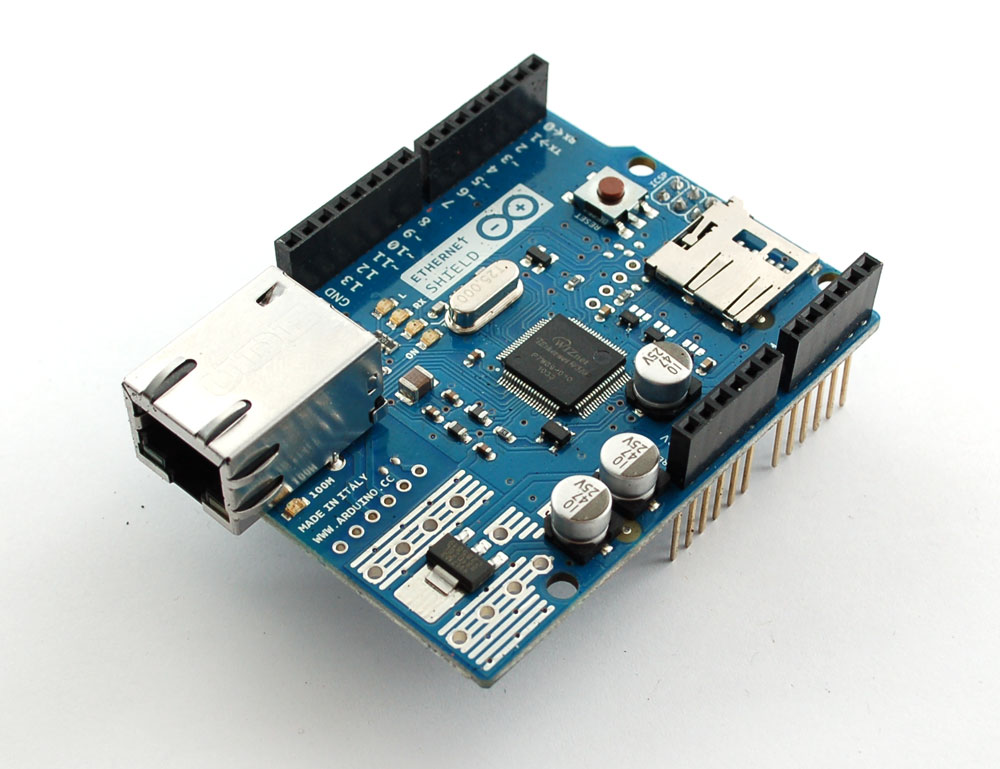
Below is the script for the server that Arduino calls in its HTTP request.
The server has the following function: if there is data added to it through a GET request, it stores that data in a text file (called datalog.txt) that is also on the same server. That way my sensor data can be stored as a text file. Secondly, when the server is called with no request, it shows the text of the text file. This way, I can write a program to pull the data from that website and graph it (processing.js, perhaps… more to come later this week on that).
click here for a text file of the code in case it is not showing up correctly below
&amp;amp;amp;lt;?php
// put the name and path of the text file in a variable.
// this is the text file where we'll store the data:
$filename = 'datalog.txt';
//make sure the file is not empty:
if (file_exists($filename)) {
// get the contents of the file
// and put them in a variable called $fileContents:
$fileContents = file_get_contents($filename);
// if there is new data from the client, it'll
// be in a request parameter called &amp;amp;amp;quot;data&amp;amp;amp;quot;.
if (isset($_REQUEST['data'])) {
// append what the client sent as 'data' to
// the variable holding the file contents:
$fileContents = $fileContents . &amp;amp;amp;quot;\n&amp;amp;amp;quot;. $_REQUEST['data'];
// put the file contents back into the file
// you're overwriting the whole file when you do this:
file_put_contents($filename, $fileContents);
} else {
// there was no data sent in the request
// so show the old stuff:
echo $fileContents;
}
}
?&amp;amp;amp;gt;
From the Arduino side, this is the code I use, for now, to append my text file. It is adapted from the example WebClient in the Ethernet library on Arduino.
I just had to enter my MAC address of the ethernet shield and the IP address of the server I am making the request to.
The next step will be to continually make requests as sensor data comes in, to have a legible CSV.
/*
Web client
This sketch connects to a website (http://www.google.com)
using an Arduino Wiznet Ethernet shield.
Circuit:
* Ethernet shield attached to pins 10, 11, 12, 13
created 18 Dec 2009
by David A. Mellis
*/
#include &amp;amp;amp;lt;SPI.h&amp;amp;amp;gt;
#include &amp;amp;amp;lt;Ethernet.h&amp;amp;amp;gt;
// Enter a MAC address for your controller below.
// Newer Ethernet shields have a MAC address printed on a sticker on the shield
byte mac[] = { 0x00, 0xAA, 0xBB, 0xCC, 0xDE, 0x03 };
IPAddress server(69,89,31,63); // Google
// Initialize the Ethernet client library
// with the IP address and port of the server
// that you want to connect to (port 80 is default for HTTP):
EthernetClient client;
void setup() {
// start the serial library:
Serial.begin(9600);
// start the Ethernet connection:
if (Ethernet.begin(mac) == 0) {
Serial.println(&amp;amp;amp;quot;Failed to configure Ethernet using DHCP&amp;amp;amp;quot;);
// no point in carrying on, so do nothing forevermore:
for(;;)
;
}
// give the Ethernet shield a second to initialize:
delay(1000);
Serial.println(&amp;amp;amp;quot;connecting...&amp;amp;amp;quot;);
// if you get a connection, report back via serial:
if (client.connect(server, 80)) {
Serial.println(&amp;amp;amp;quot;connected&amp;amp;amp;quot;);
// Make a HTTP request:
client.println(&amp;amp;amp;quot;GET /understanding_networks/dataLogger.php?data=it_works_yay HTTP/1.1&amp;amp;amp;quot;);
client.println(&amp;amp;amp;quot;HOST: www.levinegabriella.com&amp;amp;amp;quot;);
// client.println(&amp;amp;amp;quot;GET /understanding_networks/dataLogger.php?data=1233212321232123 HTTP/1.0&amp;amp;amp;quot;);
// http://www.levinegabriella.com/understanding_networks/dataLogger.php?data=123
client.println();
}
else {
// kf you didn't get a connection to the server:
Serial.println(&amp;amp;amp;quot;connection failed&amp;amp;amp;quot;);
}
}
void loop()
{
// if there are incoming bytes available
// from the server, read them and print them:
if (client.available()) {
char c = client.read();
Serial.print(c);
}
// if the server's disconnected, stop the client:
if (!client.connected()) {
Serial.println();
Serial.println(&amp;amp;amp;quot;disconnecting.&amp;amp;amp;quot;);
client.stop();
// do nothing forevermore:
for(;;)
;
}
}